> For the complete documentation index, see [llms.txt](https://alotheme.gitbook.io/docs-comix/llms.txt). Markdown versions of documentation pages are available by appending `.md` to page URLs; this page is available as [Markdown](https://alotheme.gitbook.io/docs-comix/home-page/section/bannner-countdown.md).

# Countdown Products

{% hint style="success" %}
Steps

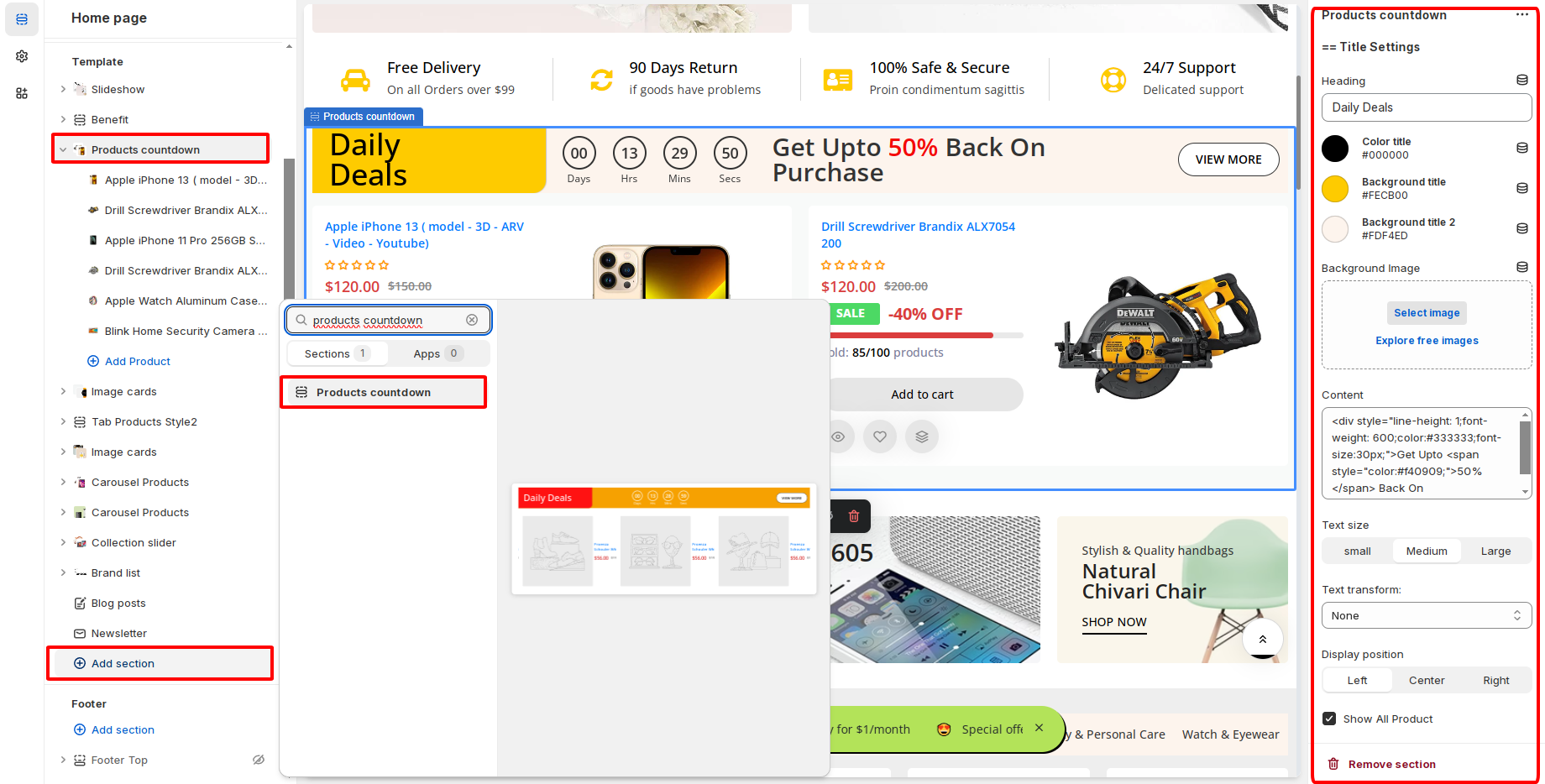
1. In the theme editor (**Customize**), click **Add section**
2. Locate **Products countdown 2**
3. **Save**
   {% endhint %}

<figure><img src="https://content.gitbook.com/content/EX71TFpGj0UYnMKKU0gM/blobs/eokaAxLvcoCm56DIo27C/image.png" alt=""><figcaption></figcaption></figure>

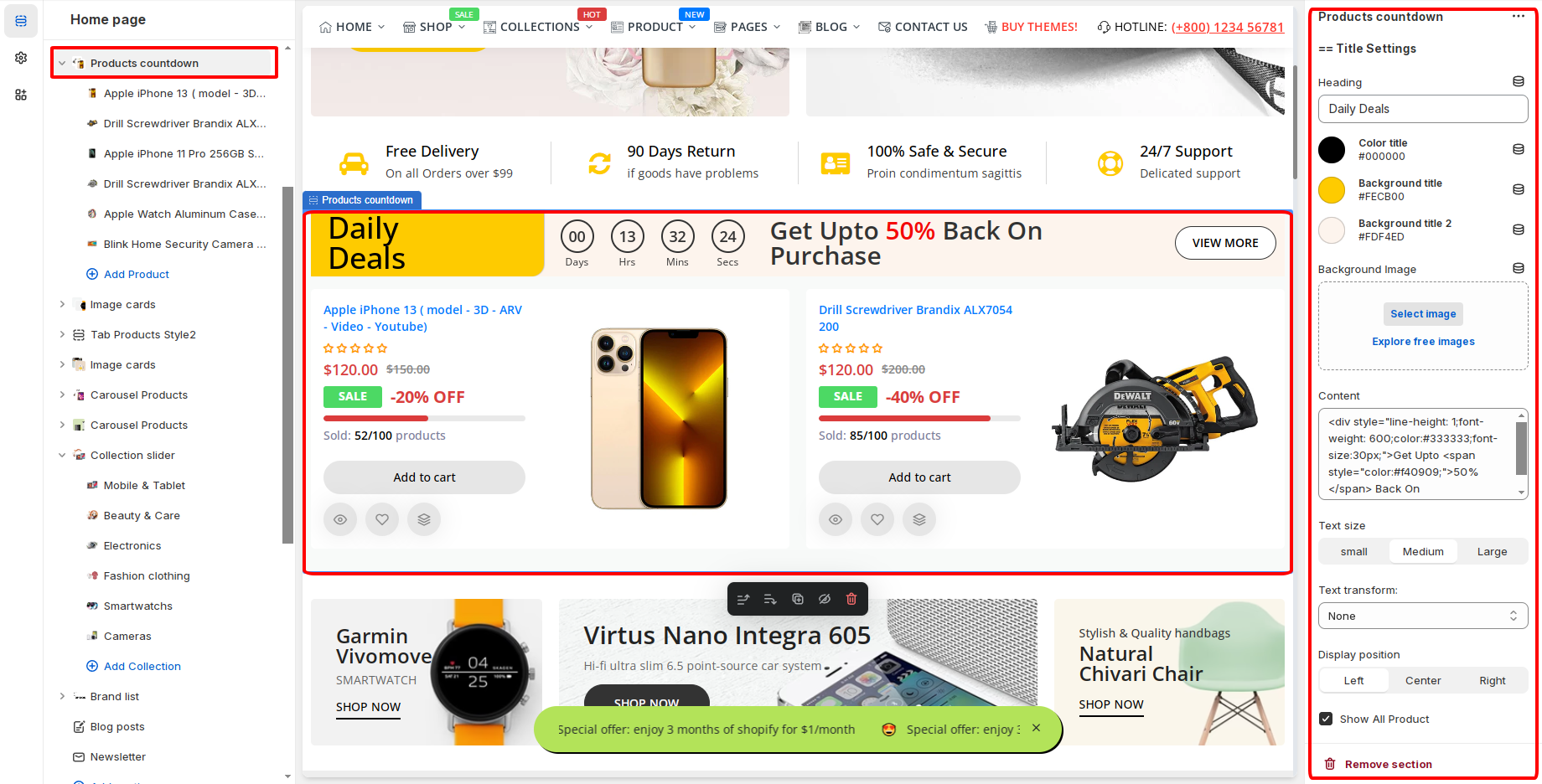
**Select the product you want to display**

<figure><img src="https://content.gitbook.com/content/EX71TFpGj0UYnMKKU0gM/blobs/ymkAKPtwKVwgk8ZWRO52/image.png" alt=""><figcaption></figcaption></figure>

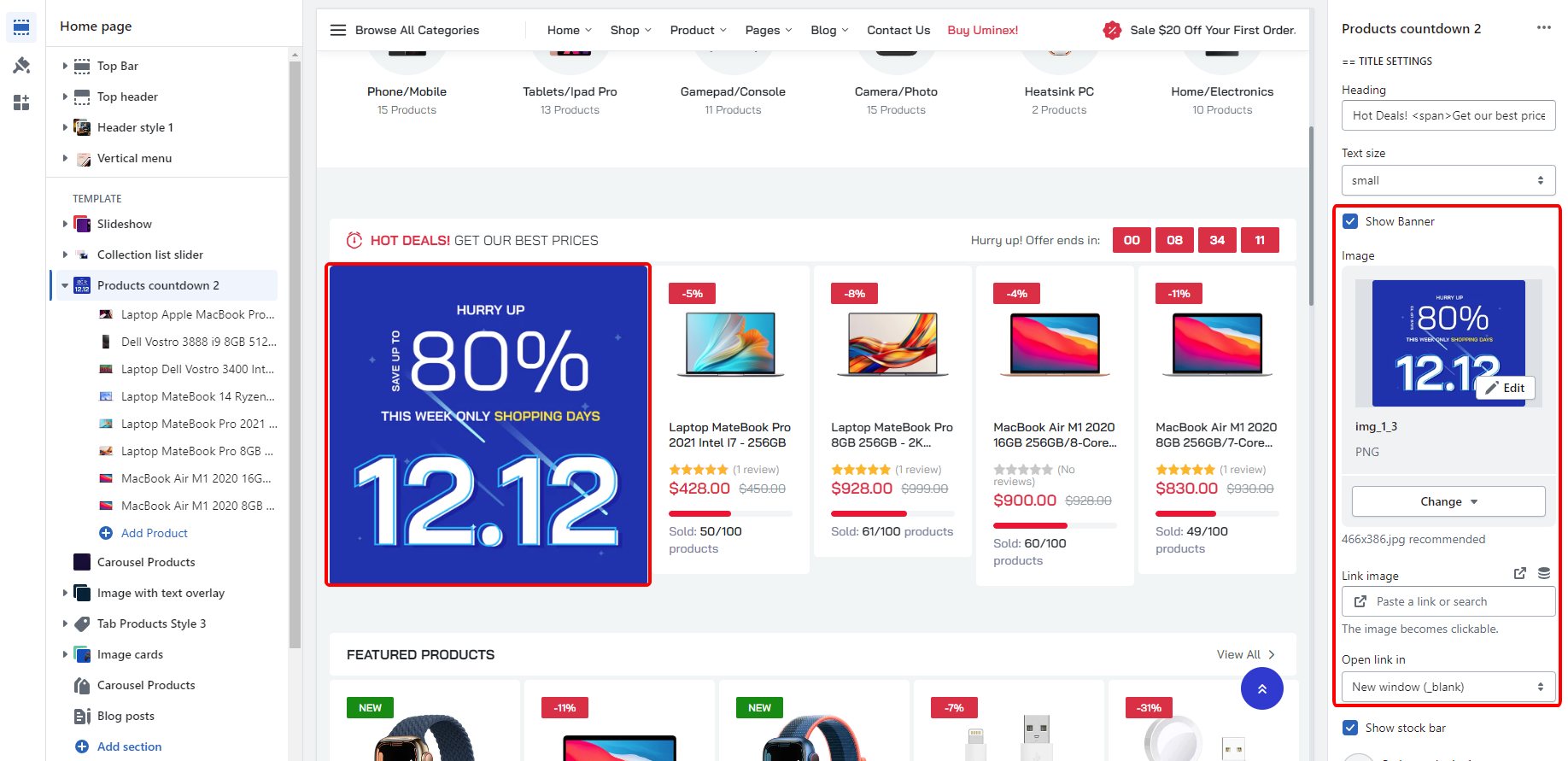
**Add banner**

<figure><img src="https://content.gitbook.com/content/EX71TFpGj0UYnMKKU0gM/blobs/D7zJVMe14BkZW7yu9LKA/image.png" alt=""><figcaption></figcaption></figure>

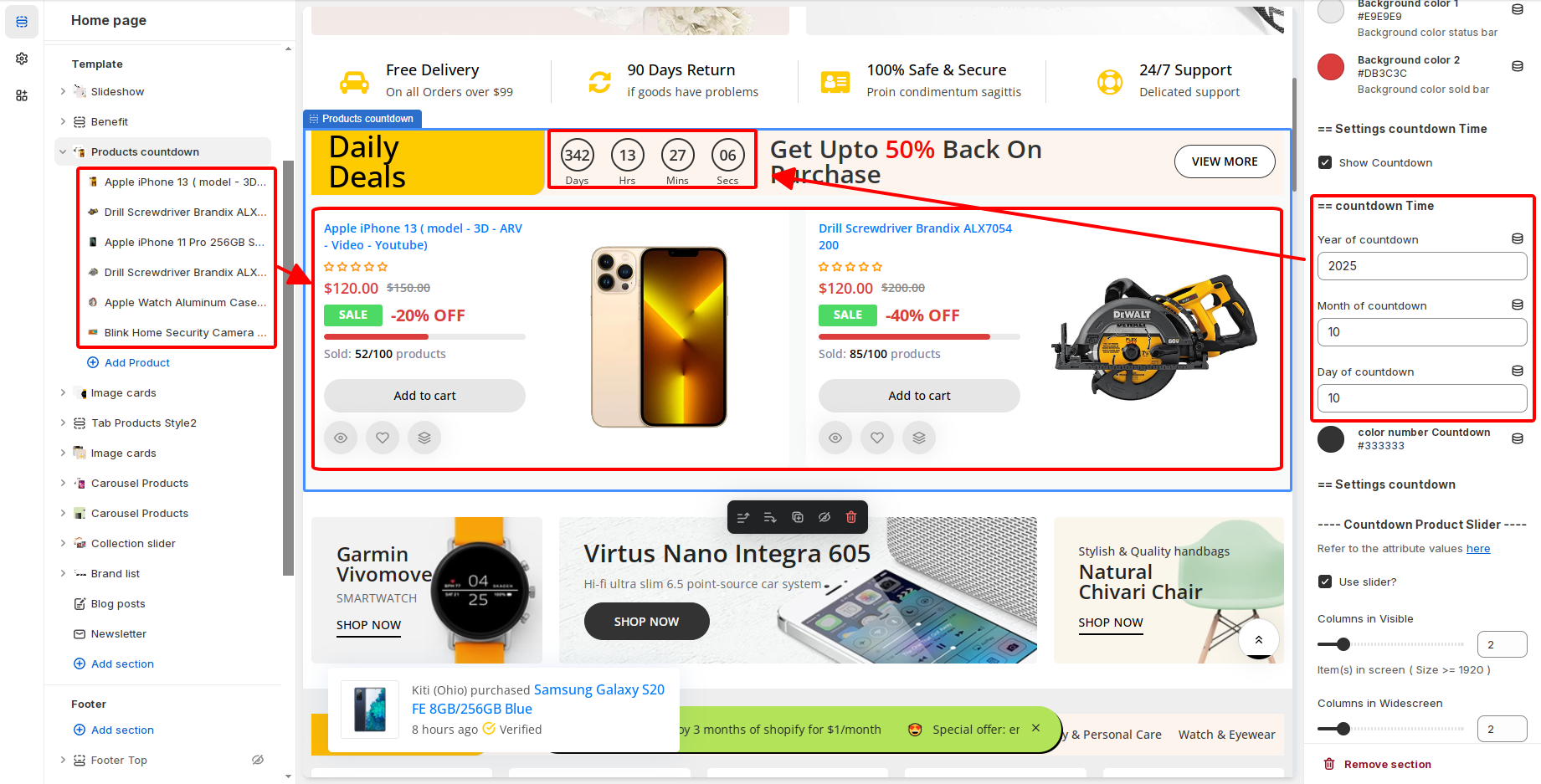
**Display countdown time**&#x20;

> Note: if you leave it like the picture, the time will automatically reduce the countdown for 1 day

<figure><img src="https://content.gitbook.com/content/EX71TFpGj0UYnMKKU0gM/blobs/KJbKWPlVW1li33l4mw6H/image.png" alt=""><figcaption></figcaption></figure>

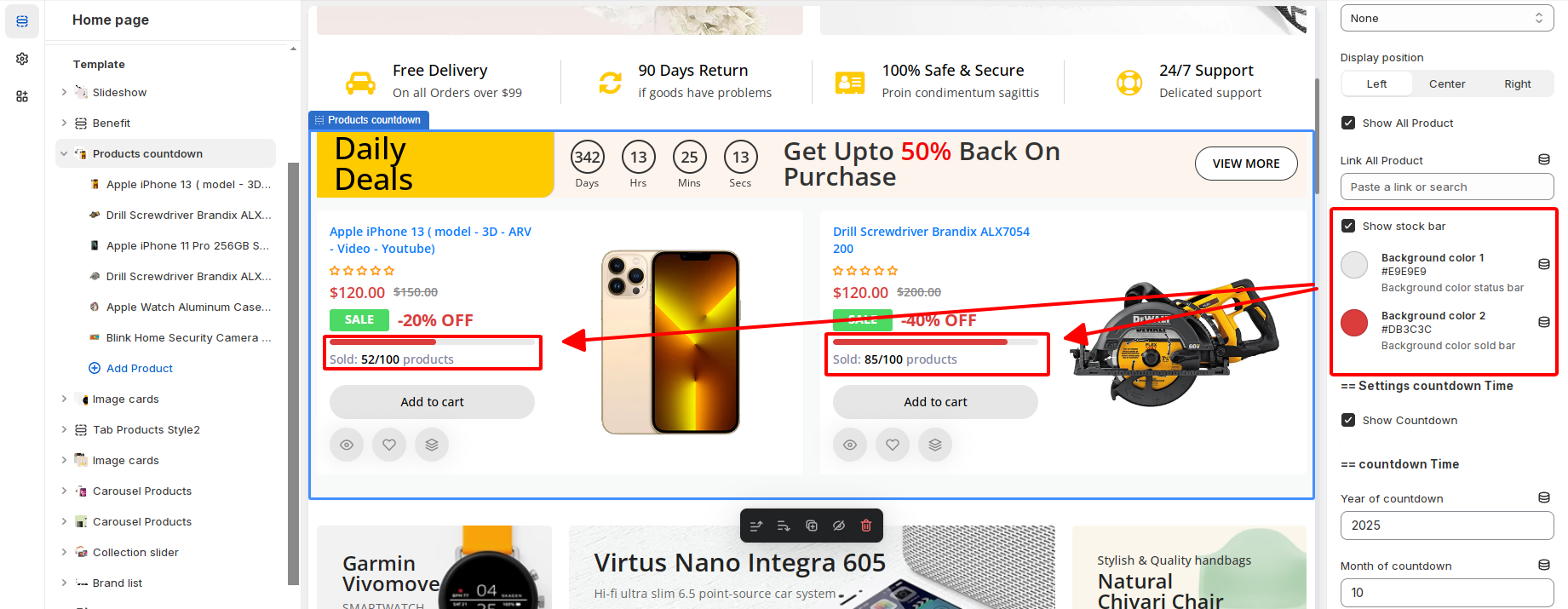
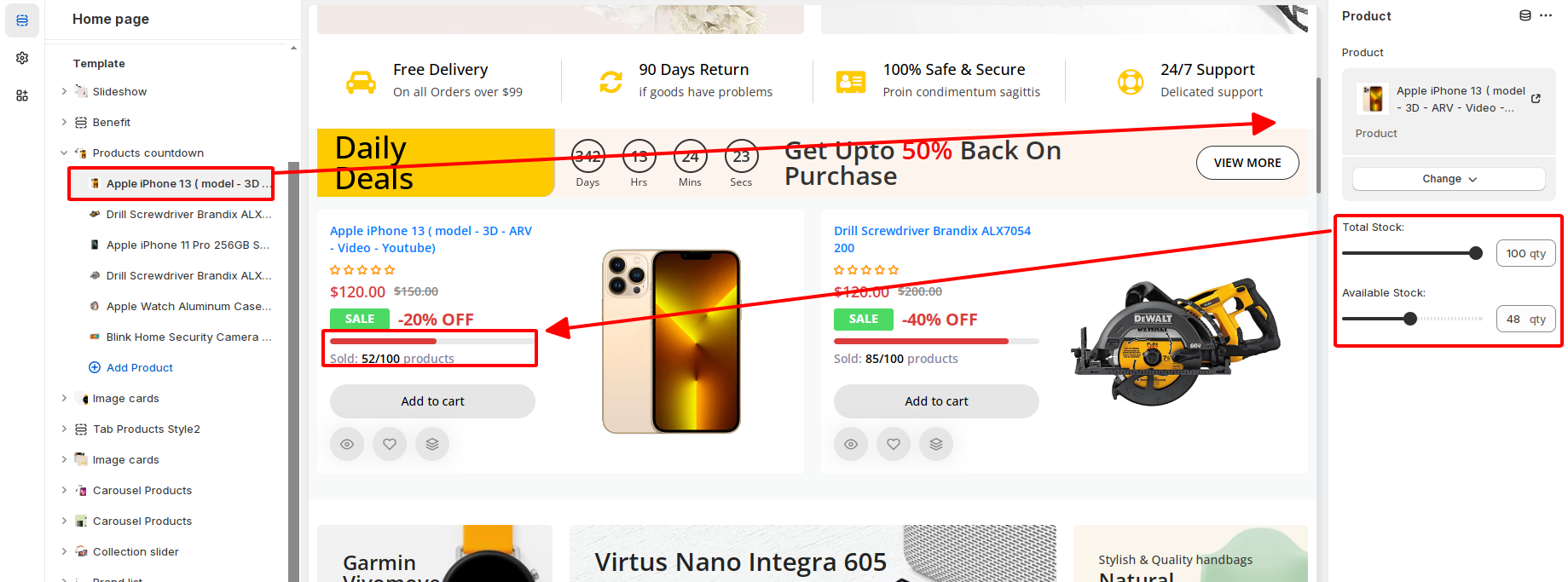
**Show stock bar**

<figure><img src="https://content.gitbook.com/content/EX71TFpGj0UYnMKKU0gM/blobs/zl5WffDoo1XsELqziN8F/image.png" alt=""><figcaption></figcaption></figure>

<figure><img src="https://content.gitbook.com/content/EX71TFpGj0UYnMKKU0gM/blobs/PXT1ULmSe1nphWHBARxd/image.png" alt=""><figcaption></figcaption></figure>