> For the complete documentation index, see [llms.txt](https://alotheme.gitbook.io/docs-comix/llms.txt). Markdown versions of documentation pages are available by appending `.md` to page URLs; this page is available as [Markdown](https://alotheme.gitbook.io/docs-comix/getting-started/upload-theme.md).
# Upload theme
Guiding get the file upload
After buying our theme, please extract download package which downloaded from
[themeforest.net/downloads](https://themeforest.net/downloads)
### 1. Install Umino to your store
{% hint style="success" %}
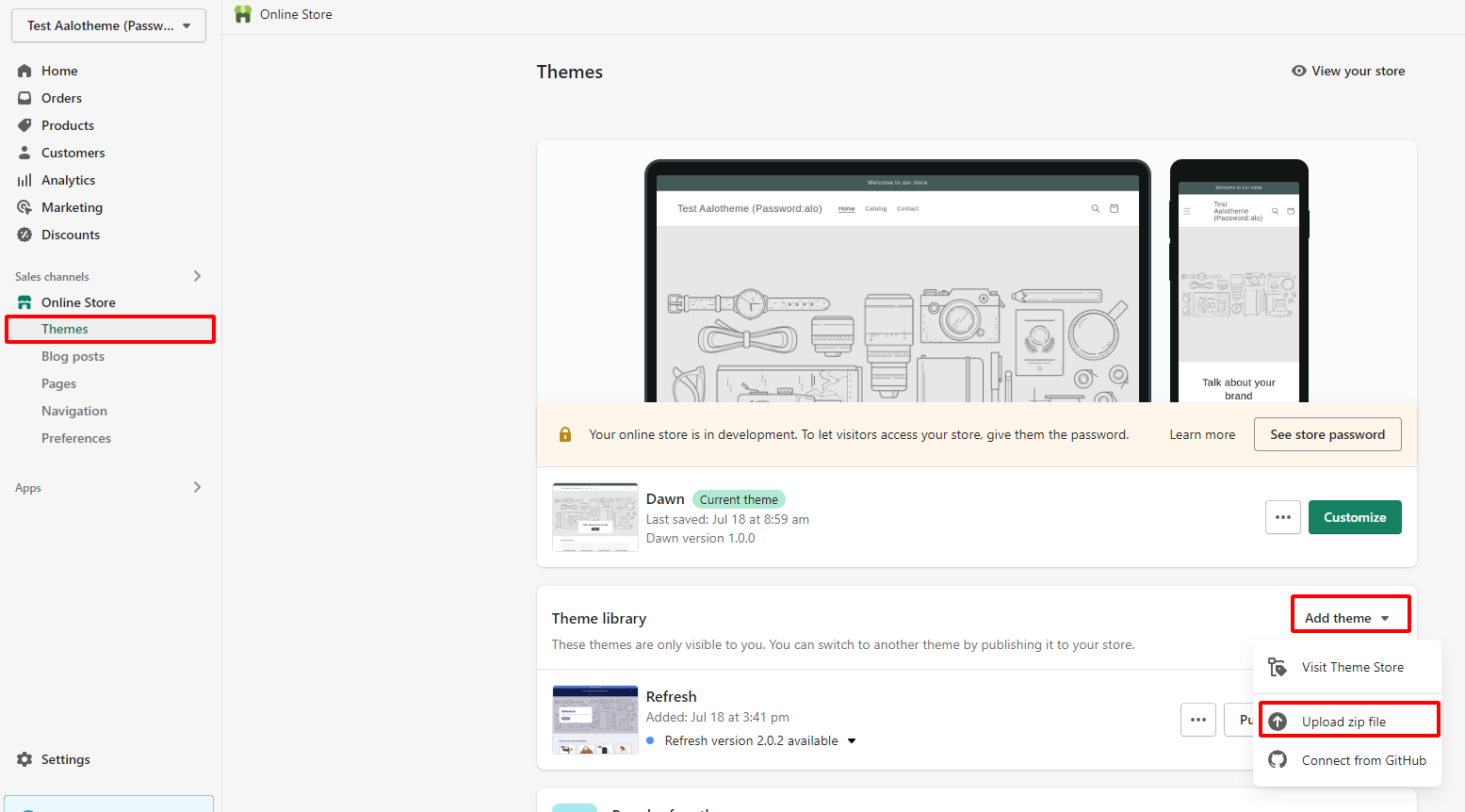
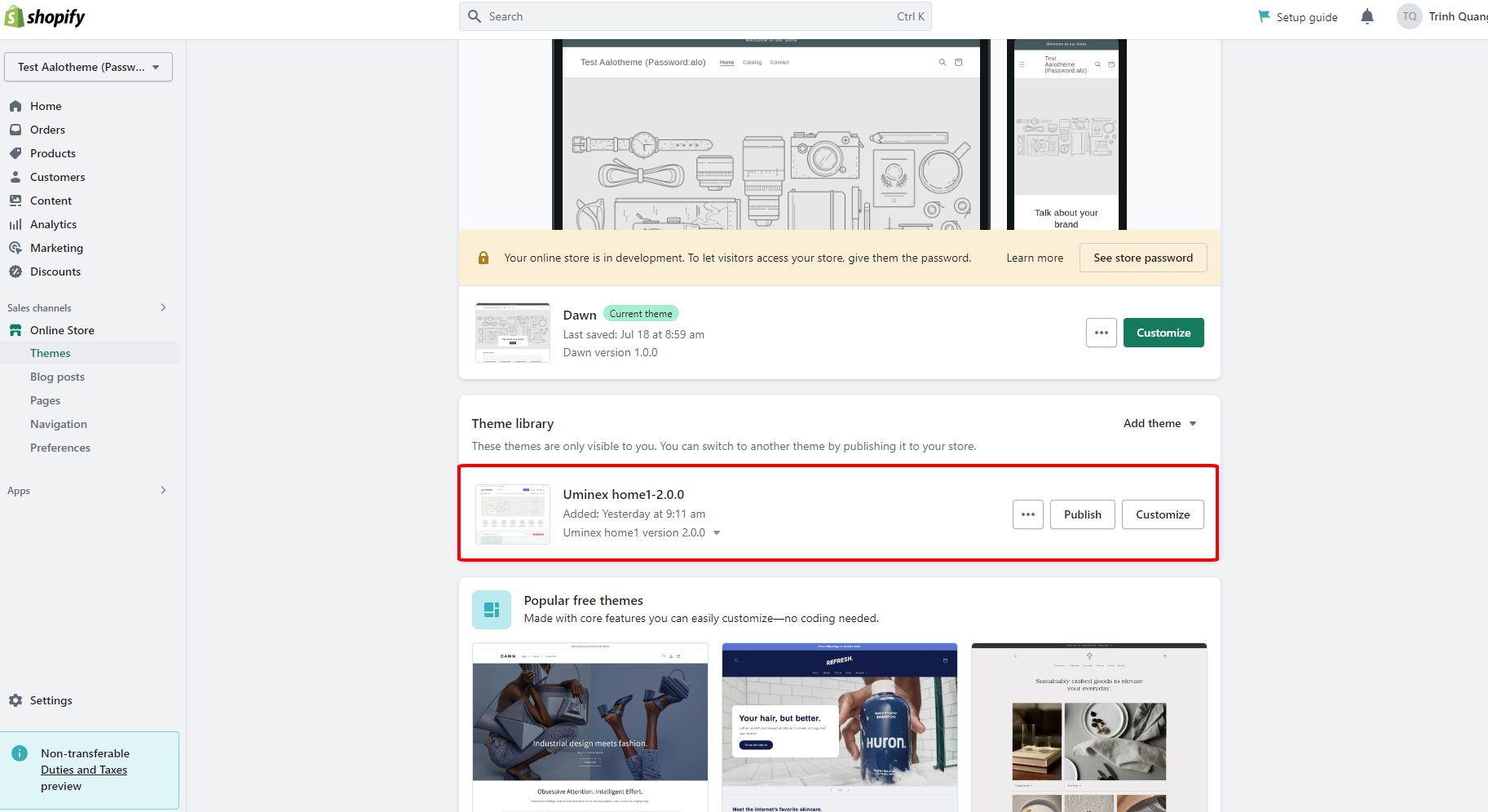
**Step 1:** From your admin, click to **Online store ==> Themes ==> Add theme ==> Upload zip file**
{% endhint %}
{% hint style="success" %}
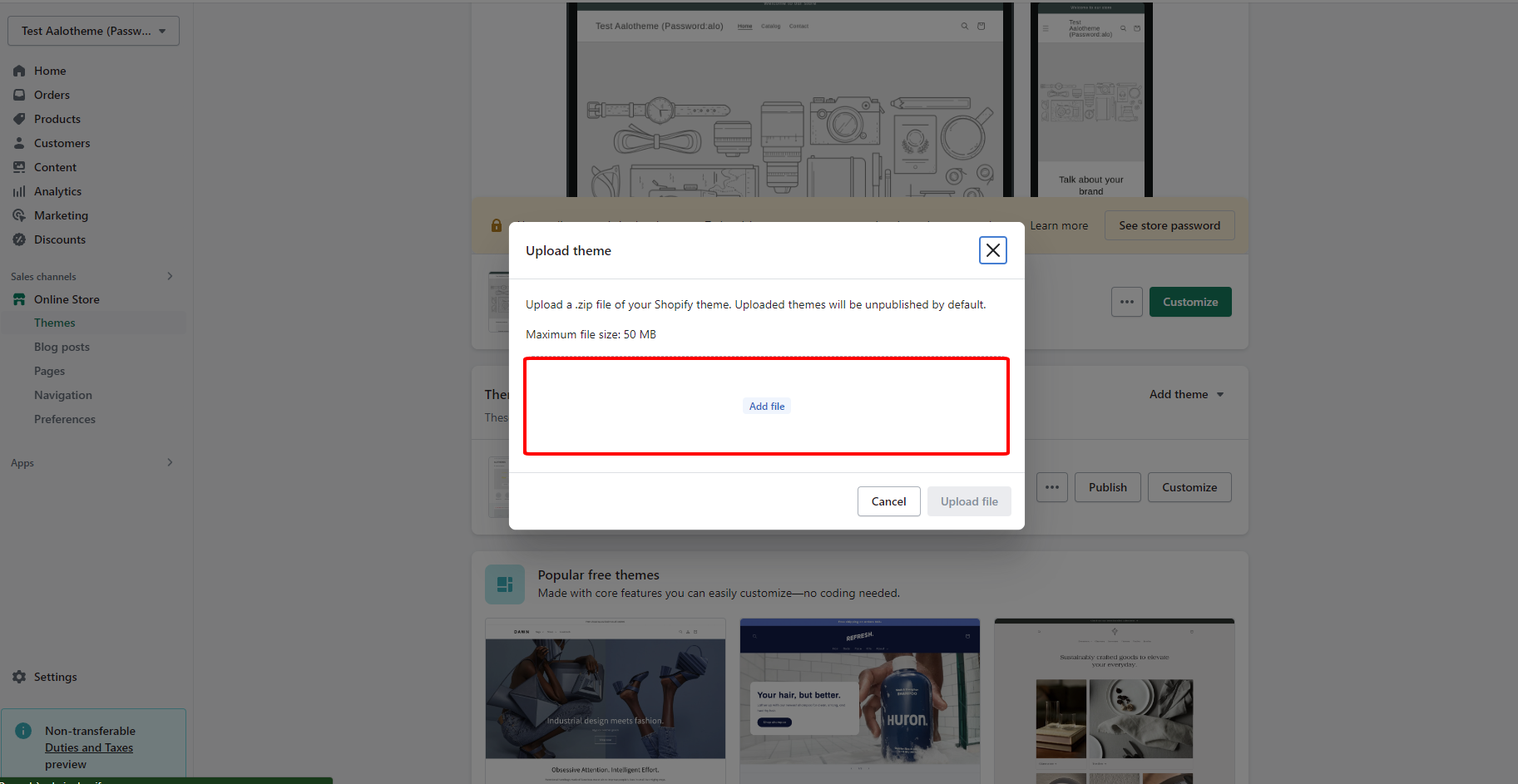
**Step 2:** Click to **Add file**
{% endhint %}
{% hint style="success" %}
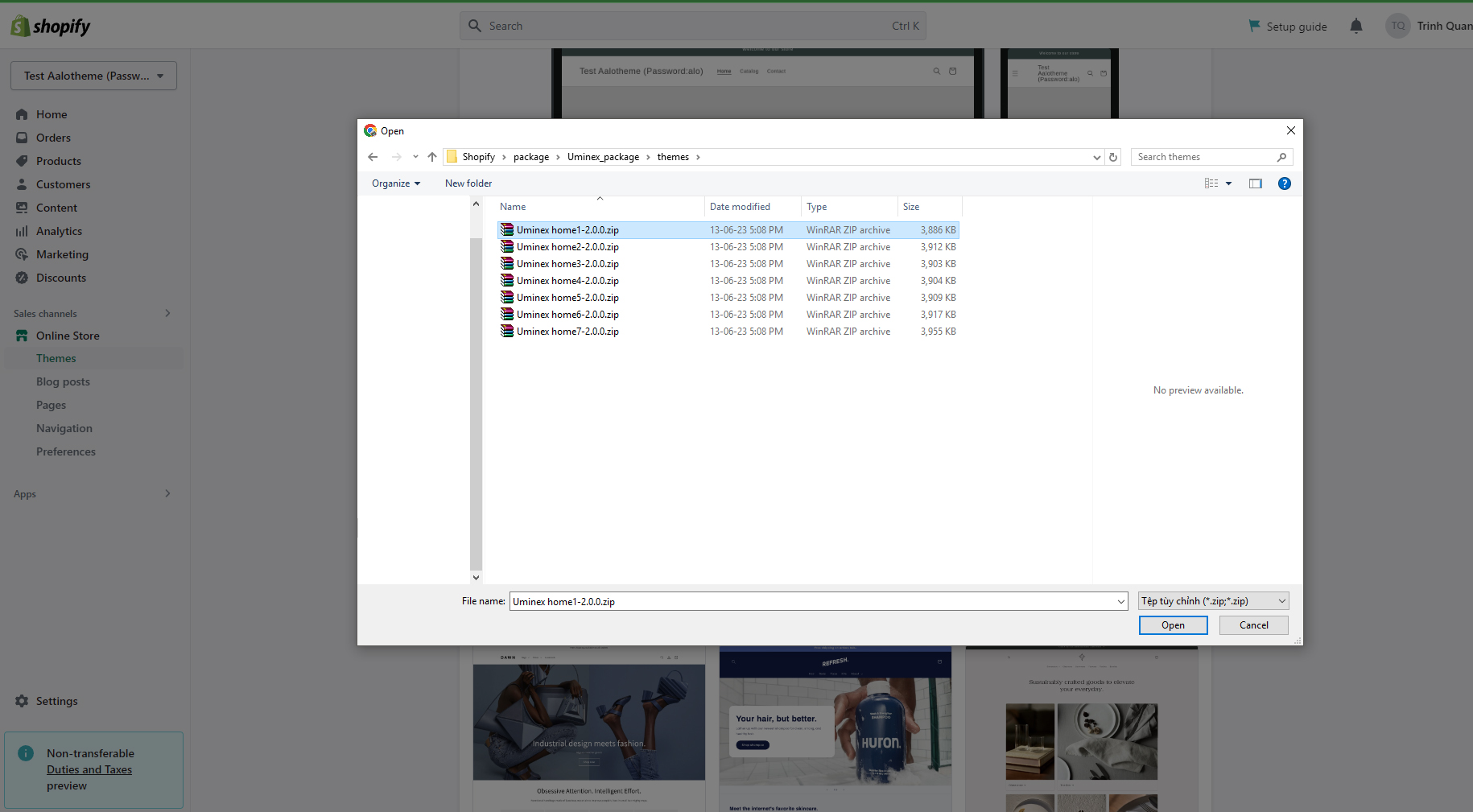
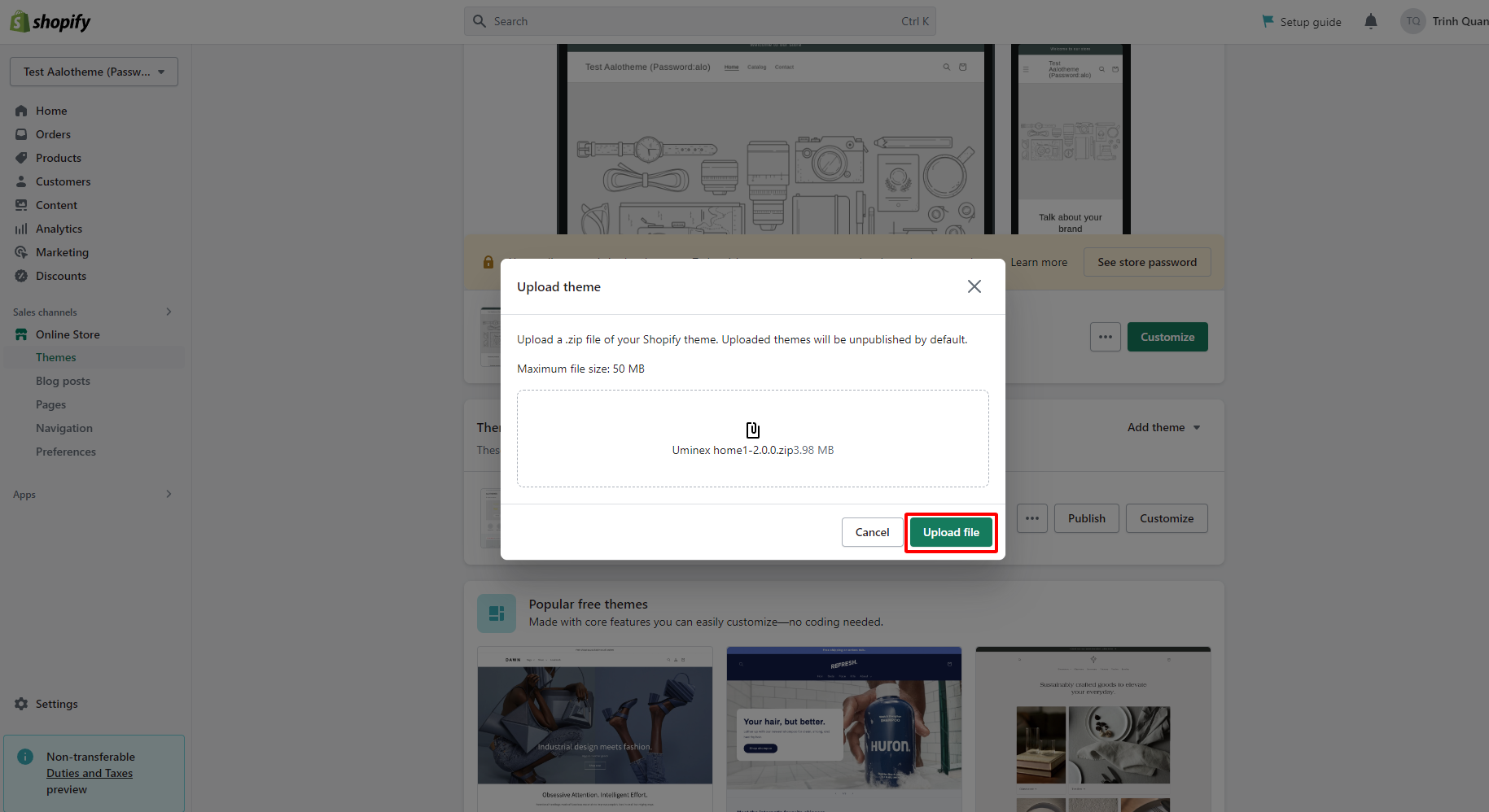
**Step 3:** Select theme zip file and click to **Upload file**
{% endhint %}
{% hint style="success" %}
You should watch this tutorial video for more:**Video install**
{% endhint %}
{% embed url="" %}