# Create Required Metafields
{% hint style="success" %}
Step
1. Login to your Shopify store, click to **Settings**
2. Click to **Custom data** and select **Products**
3. Add 3 metafields as follow:
**- Additional Information**
**- Short Description**
**- Countdown Timer**
**- Frequently Bought Together**
**- Your message and add file image**
{% endhint %}
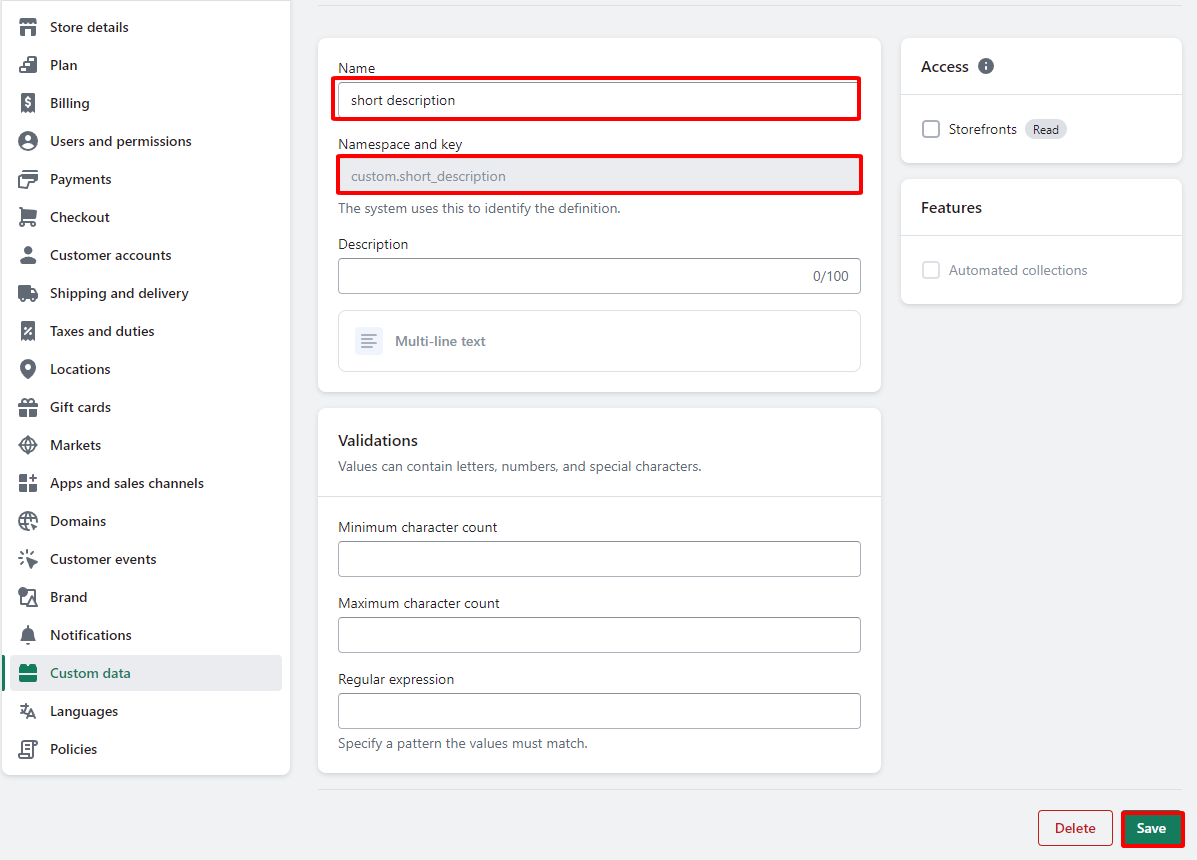
### 1. Short Description
{% hint style="success" %}
* Name: **Short Description**
* Content type: **Multi-line text**
* Namespace and key: **custom.short\_description**
{% endhint %}
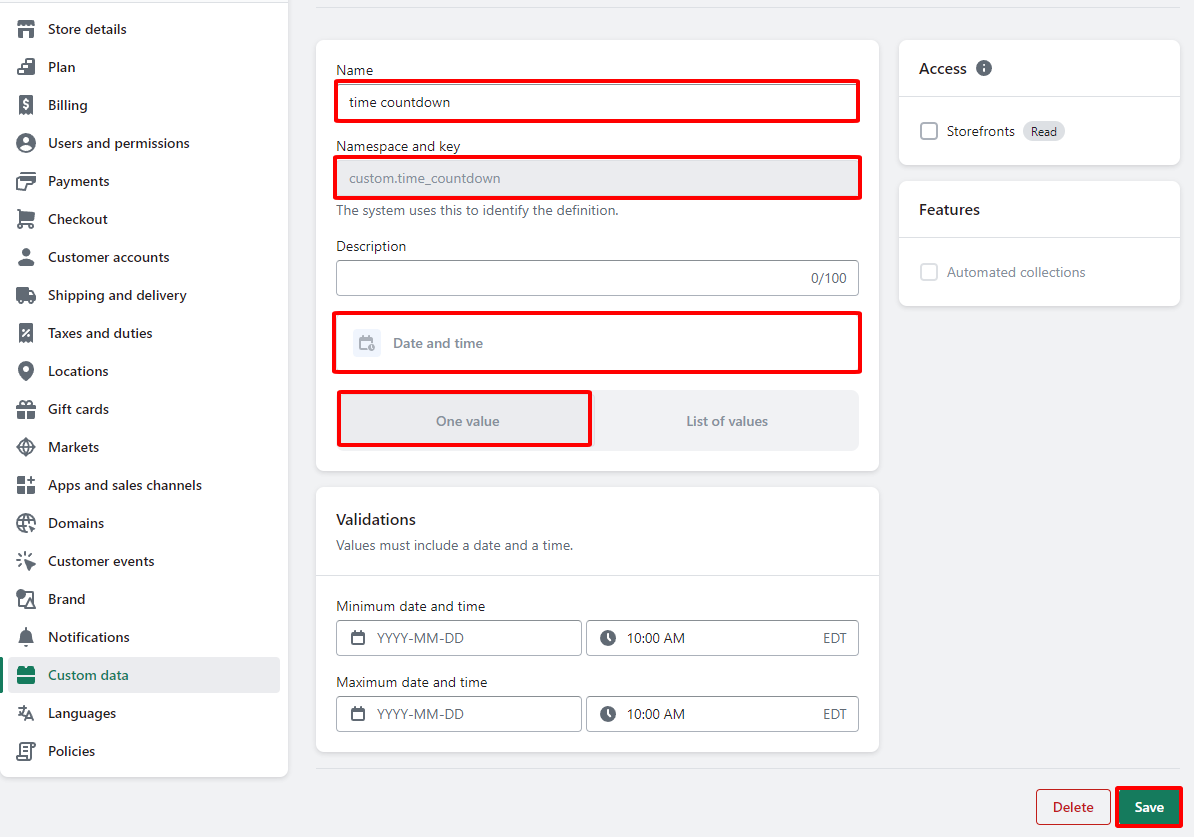
### 2. **Timer** Countdown
{% hint style="success" %}
* Name: **Timer Countdown**
* Content type: **Date and time - One value**
* Namespace and key: **custom.time\_countdown**
{% endhint %}
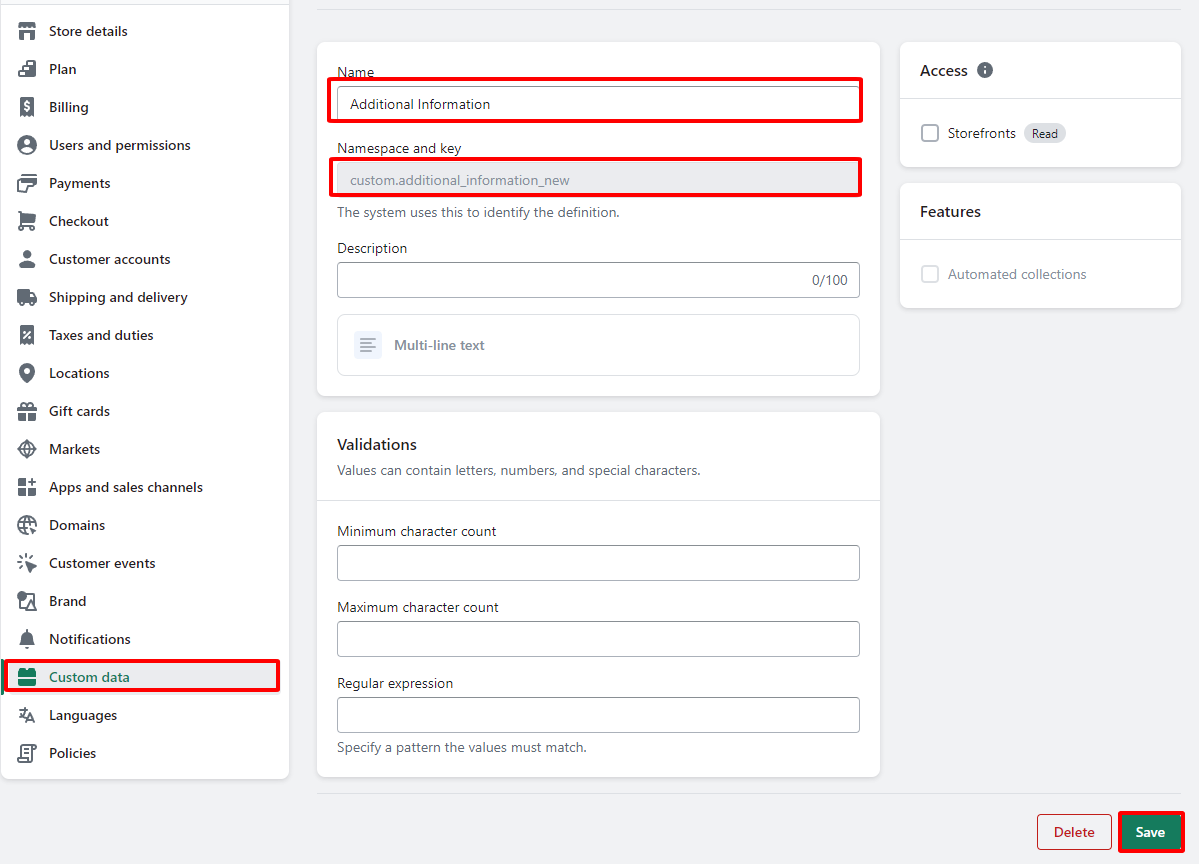
### 3. **Additional Information**
{% hint style="success" %}
* Name: **Additional Information**
* Content type: **Multi-line text**
* Namespace and key: **custom.additional\_information**
{% endhint %}
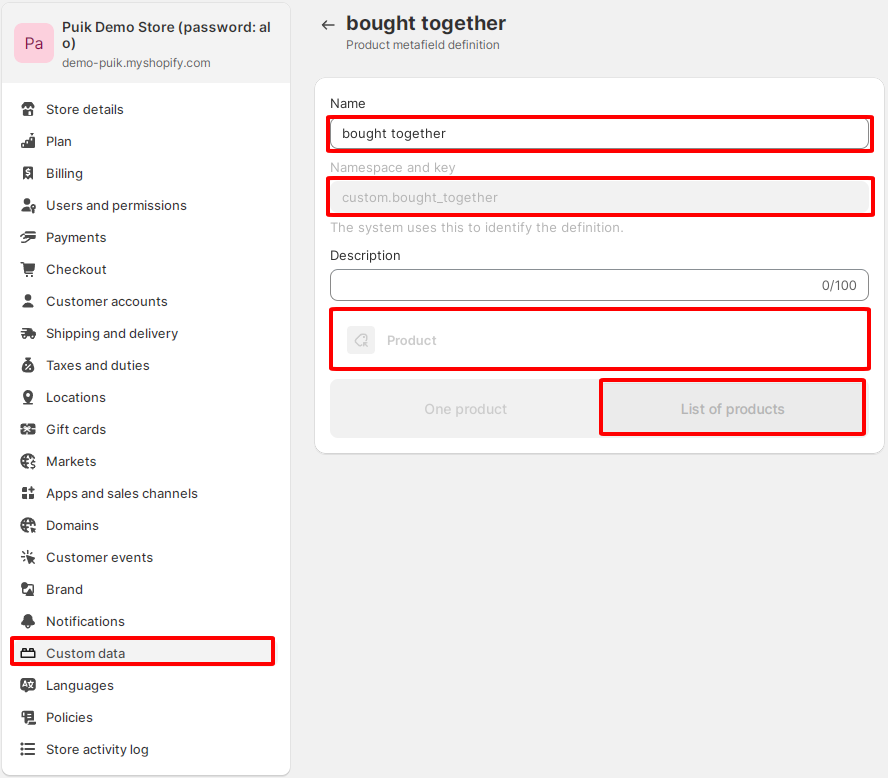
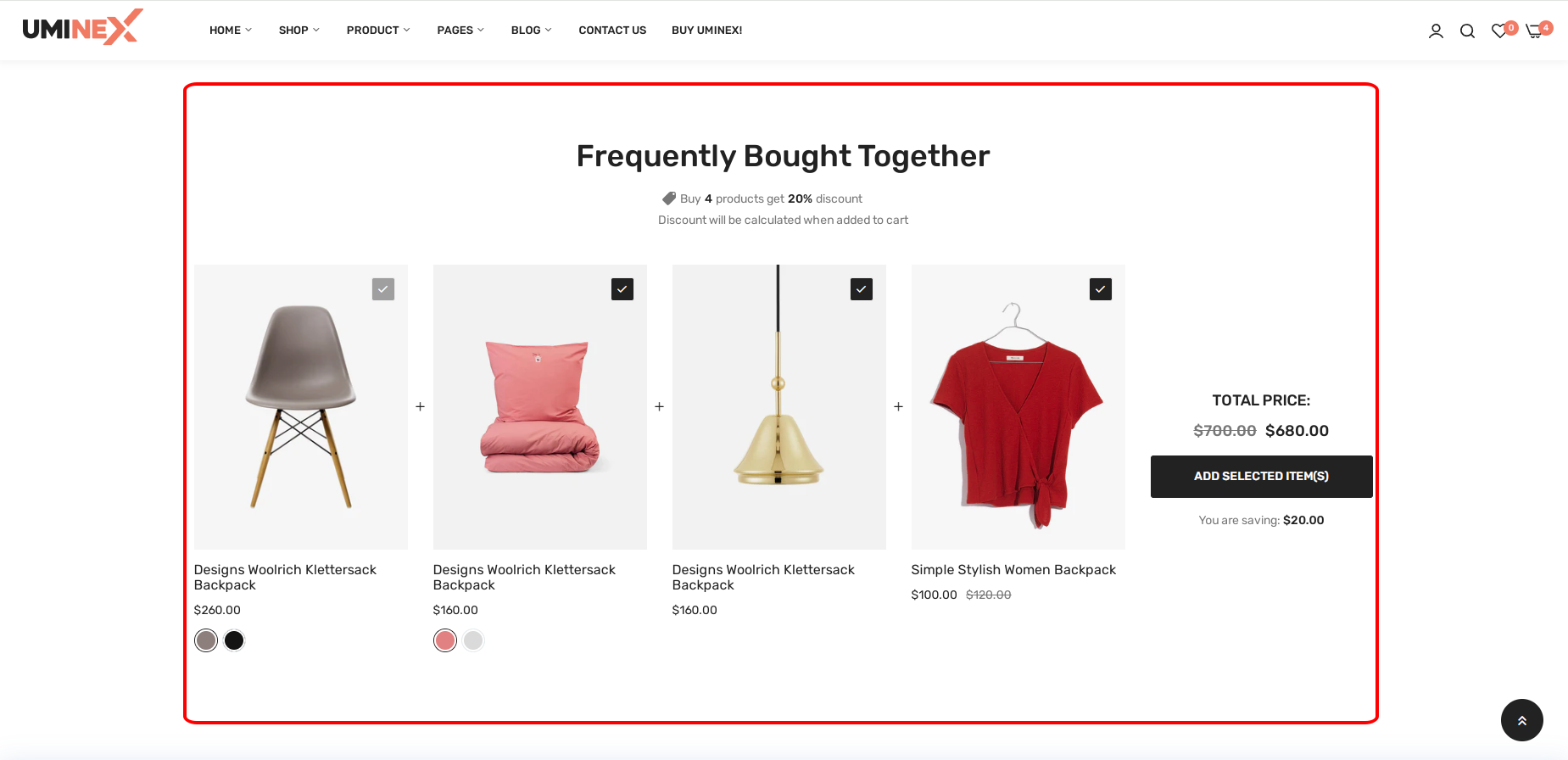
### 4. Frequently Bought Together
{% hint style="success" %}
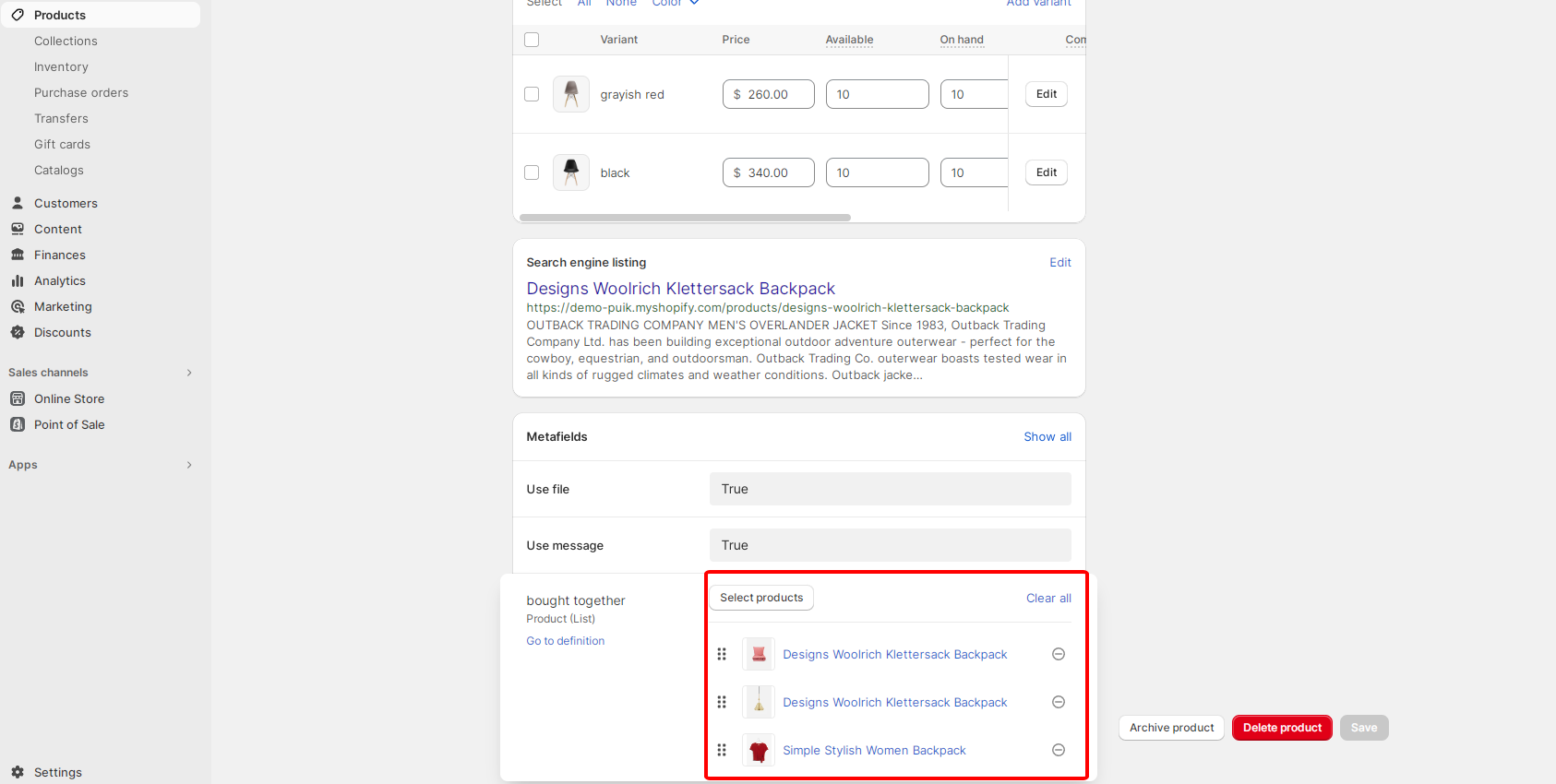
* Name: **bought together**
* Content type: **Product - List of products**
* Namespace and key: **custom.bought\_together**
{% endhint %}
After you create "Metafields" You go to products and add products purchased together
[**See demo link**](https://demo-puik.myshopify.com/products/designs-woolrich-klettersack-backpack/?preview_theme_id=158842257692)
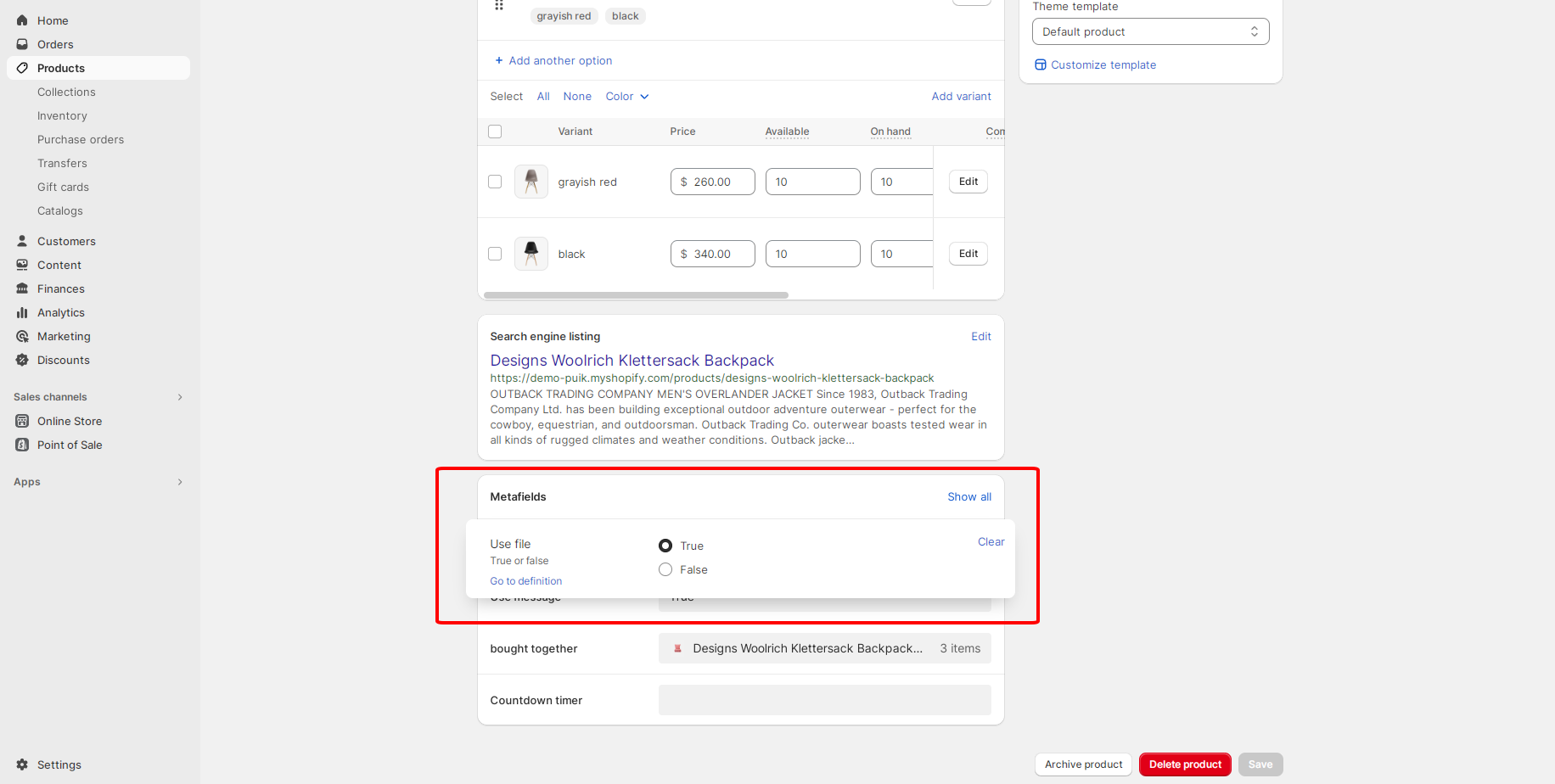
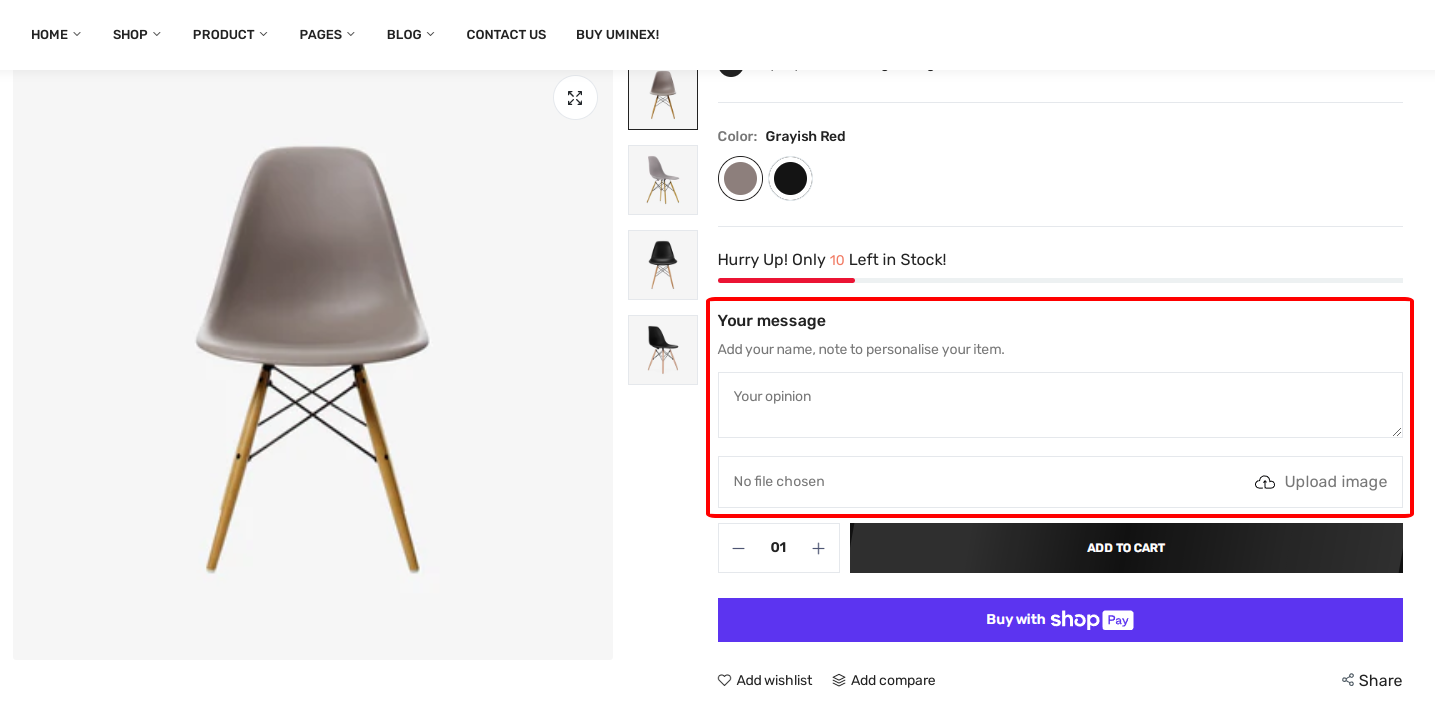
### 5. **Your message and add file image**
{% hint style="success" %}
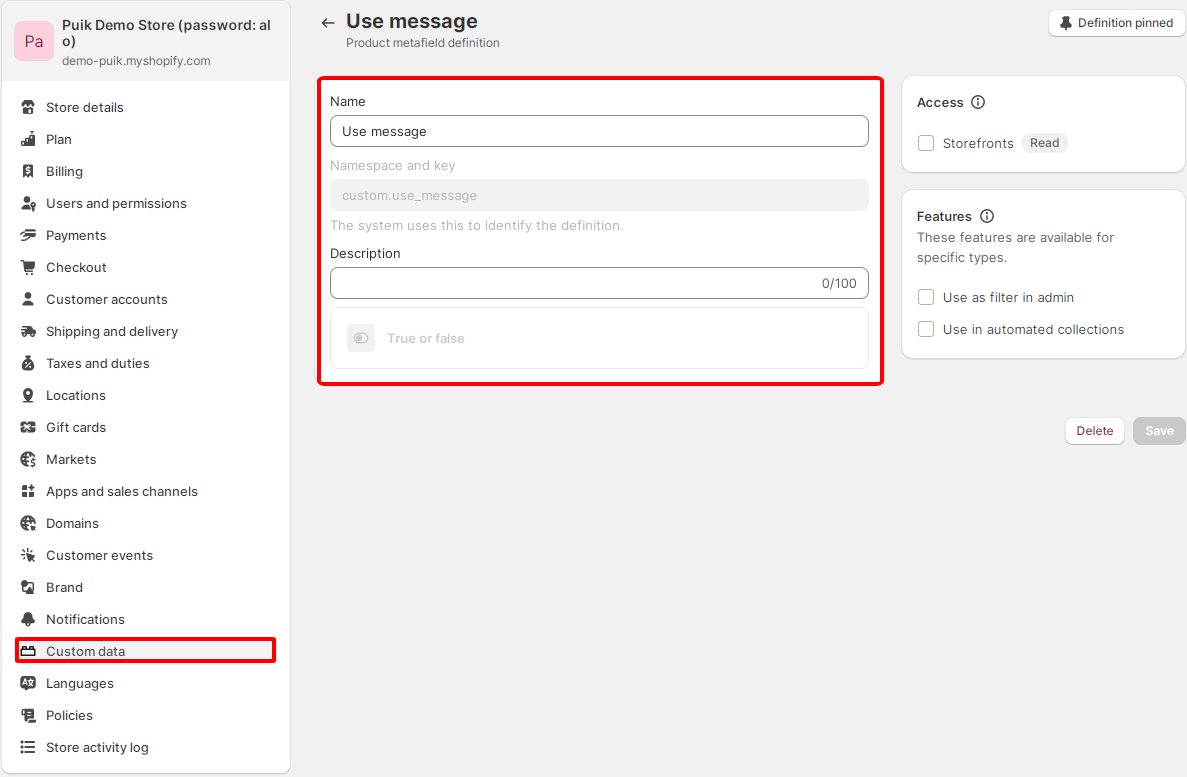
* Name: **Use message**
* Content type: **True or false**
* Namespace and key: **custom.use\_message**
{% endhint %}
{% hint style="success" %}
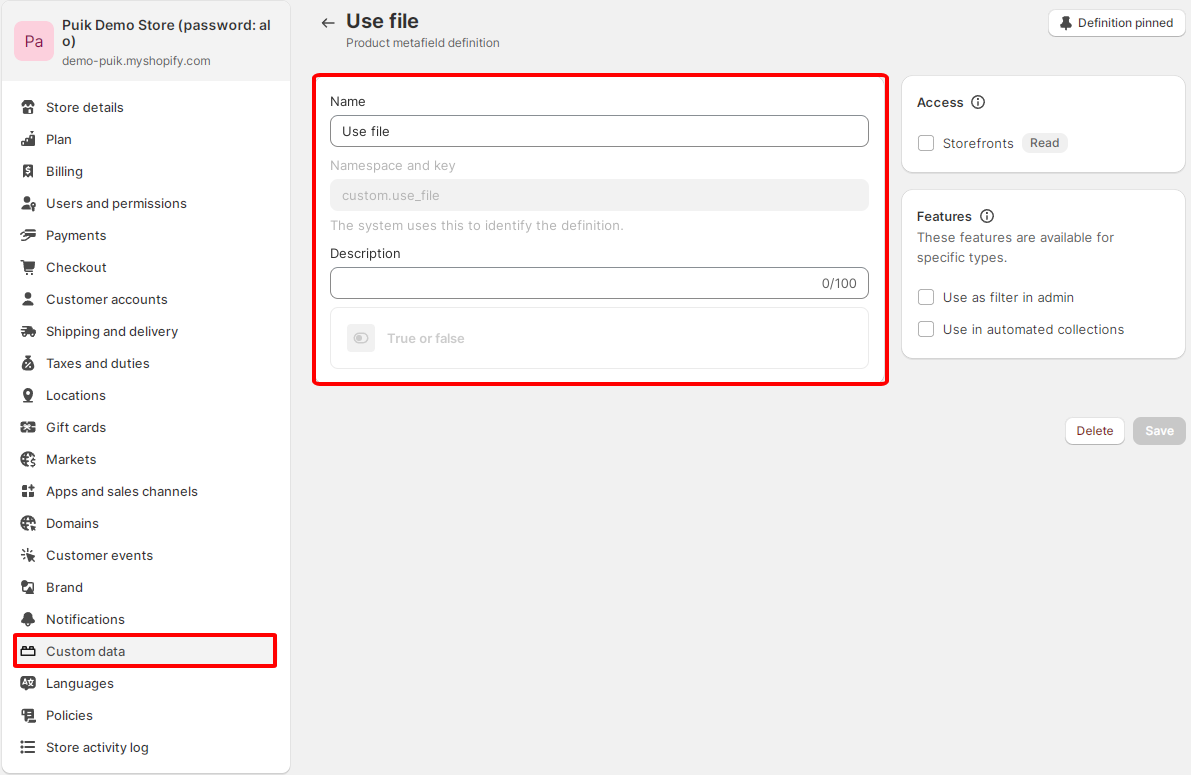
* Name: **Use file**
* Content type: **True or false**
* Namespace and key: **custom.use\_file**
{% endhint %}
After creating "Metafields" which product do you want to use? You can go to that product and turn them on
**See results and** [**demo link**](https://demo-puik.myshopify.com/products/designs-woolrich-klettersack-backpack/?preview_theme_id=158842257692)