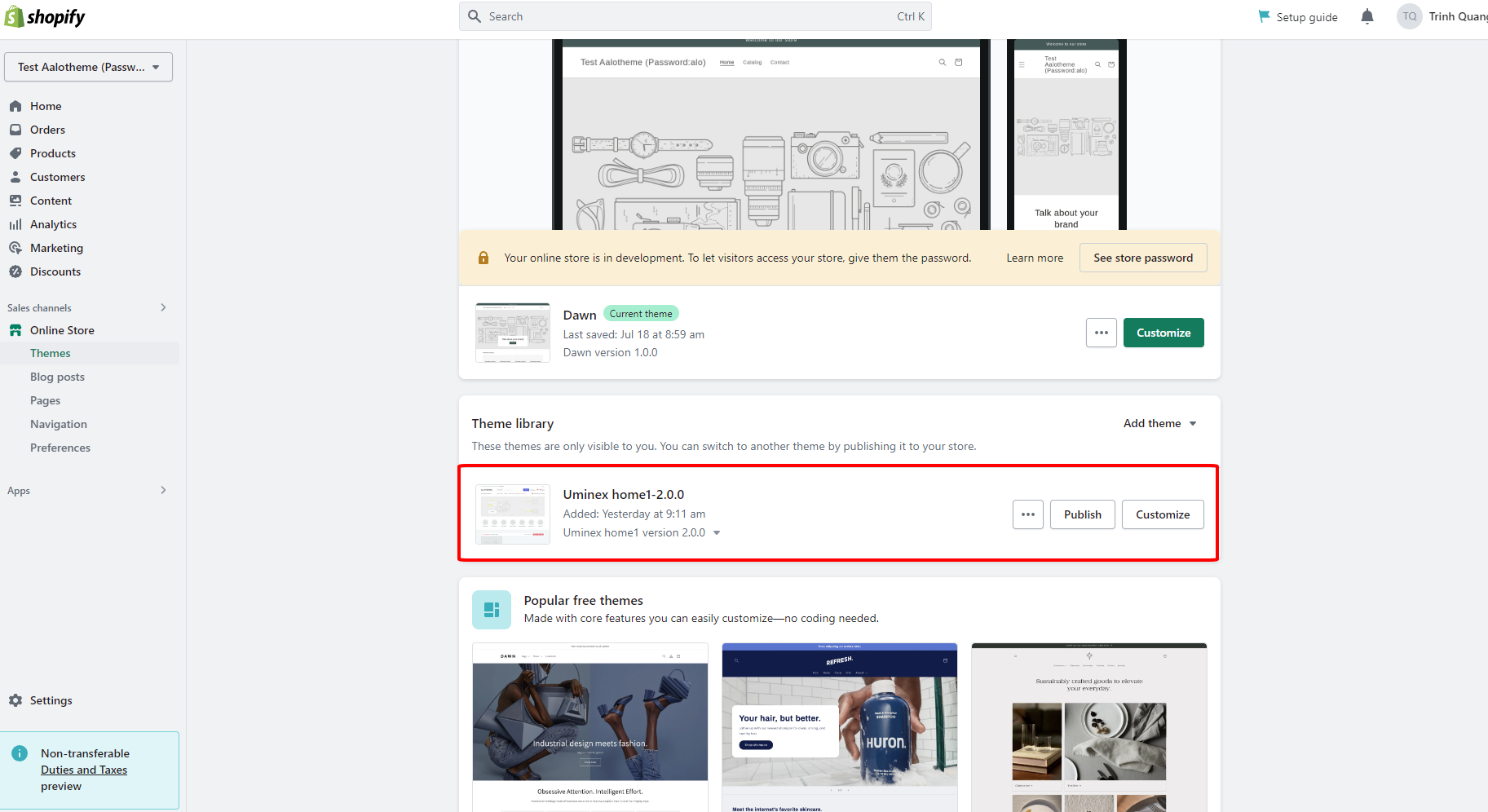
# Upload theme

After buying our theme, please extract download package which downloaded from

[themeforest.net/downloads](https://themeforest.net/downloads)

### 1. Install Jolie to your store

{% hint style="success" %}
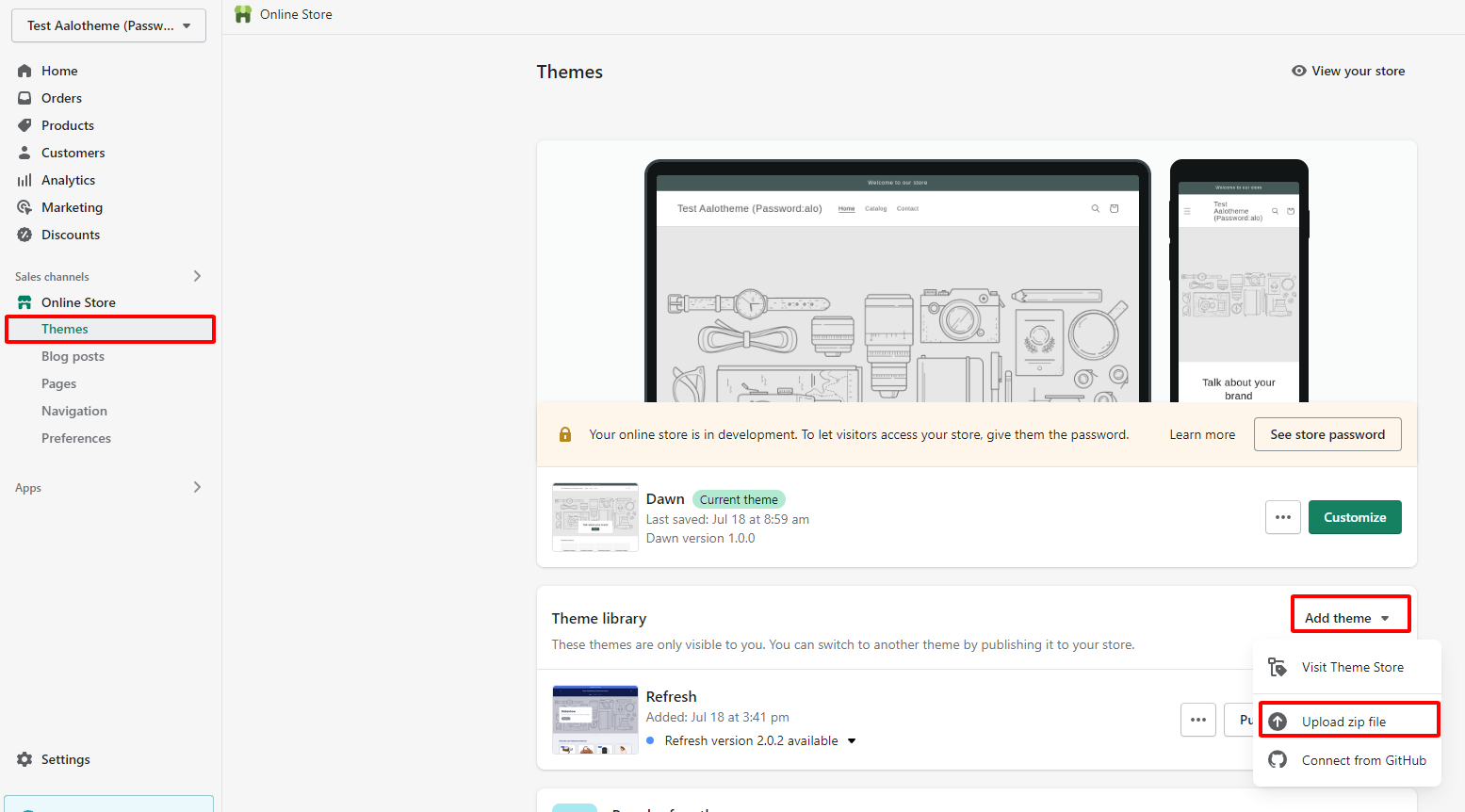
**Step 1:** From your admin, click to **Online store ==> Themes ==> Add theme ==> Upload zip file**
{% endhint %}

<figure><img src="https://content.gitbook.com/content/8UmVabhCP058sgPIK8AS/blobs/bVz2YDodQG17uP5ozkuM/image.png" alt=""><figcaption></figcaption></figure>

{% hint style="success" %}
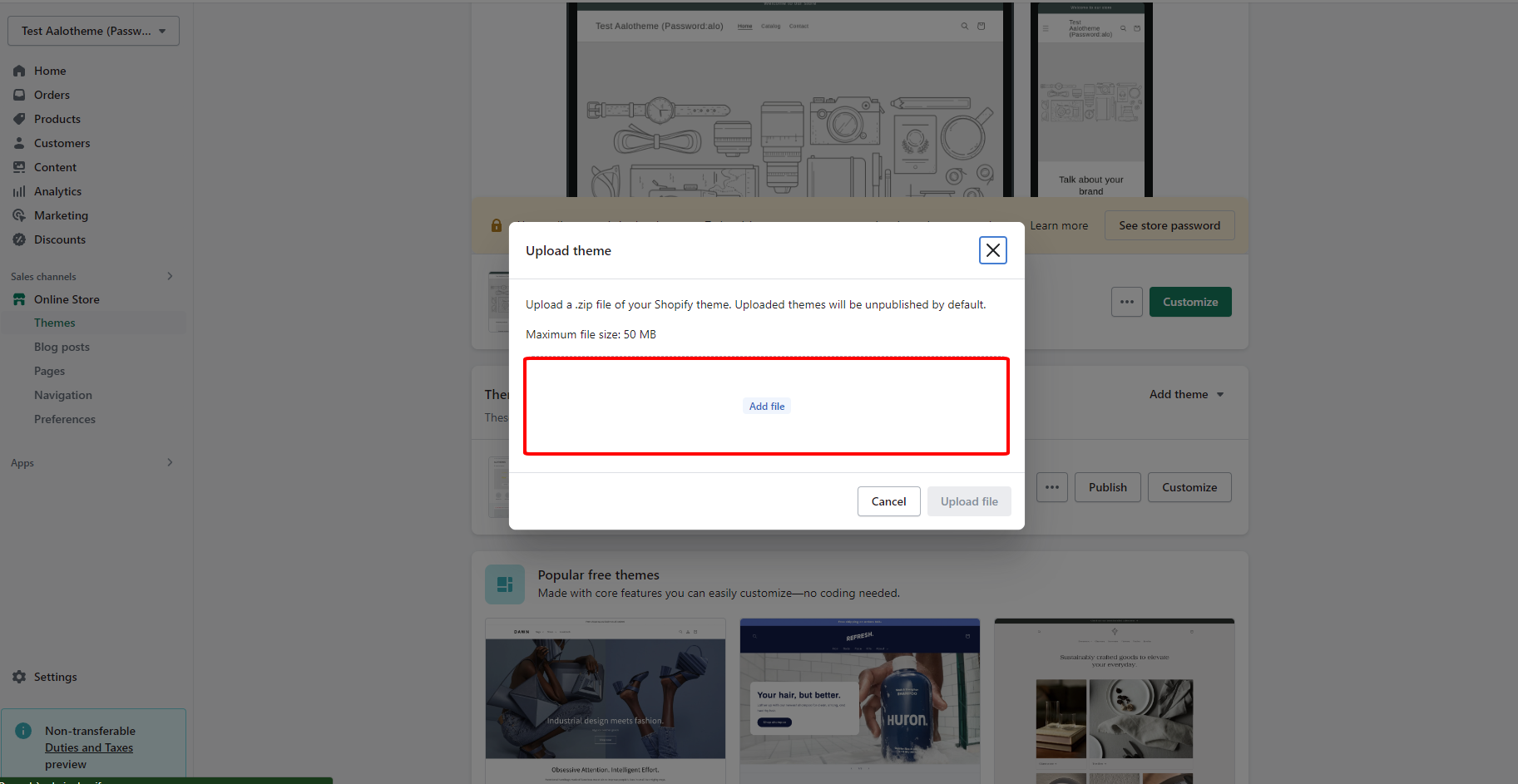
**Step 2:** Click to **Add file**
{% endhint %}

<figure><img src="https://content.gitbook.com/content/8UmVabhCP058sgPIK8AS/blobs/YzsPcpMbF0h06tlkS3Db/image.png" alt=""><figcaption></figcaption></figure>

{% hint style="success" %}
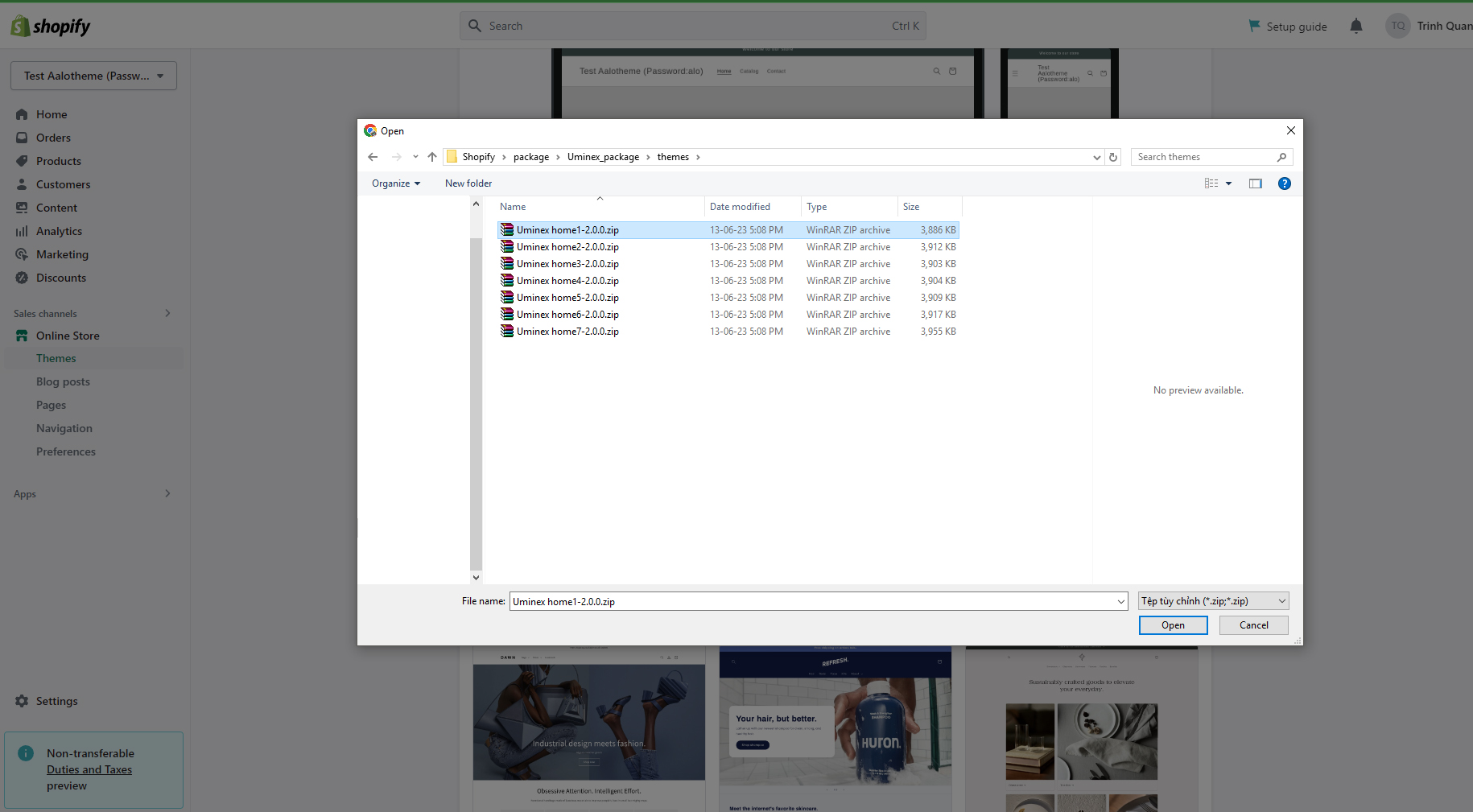
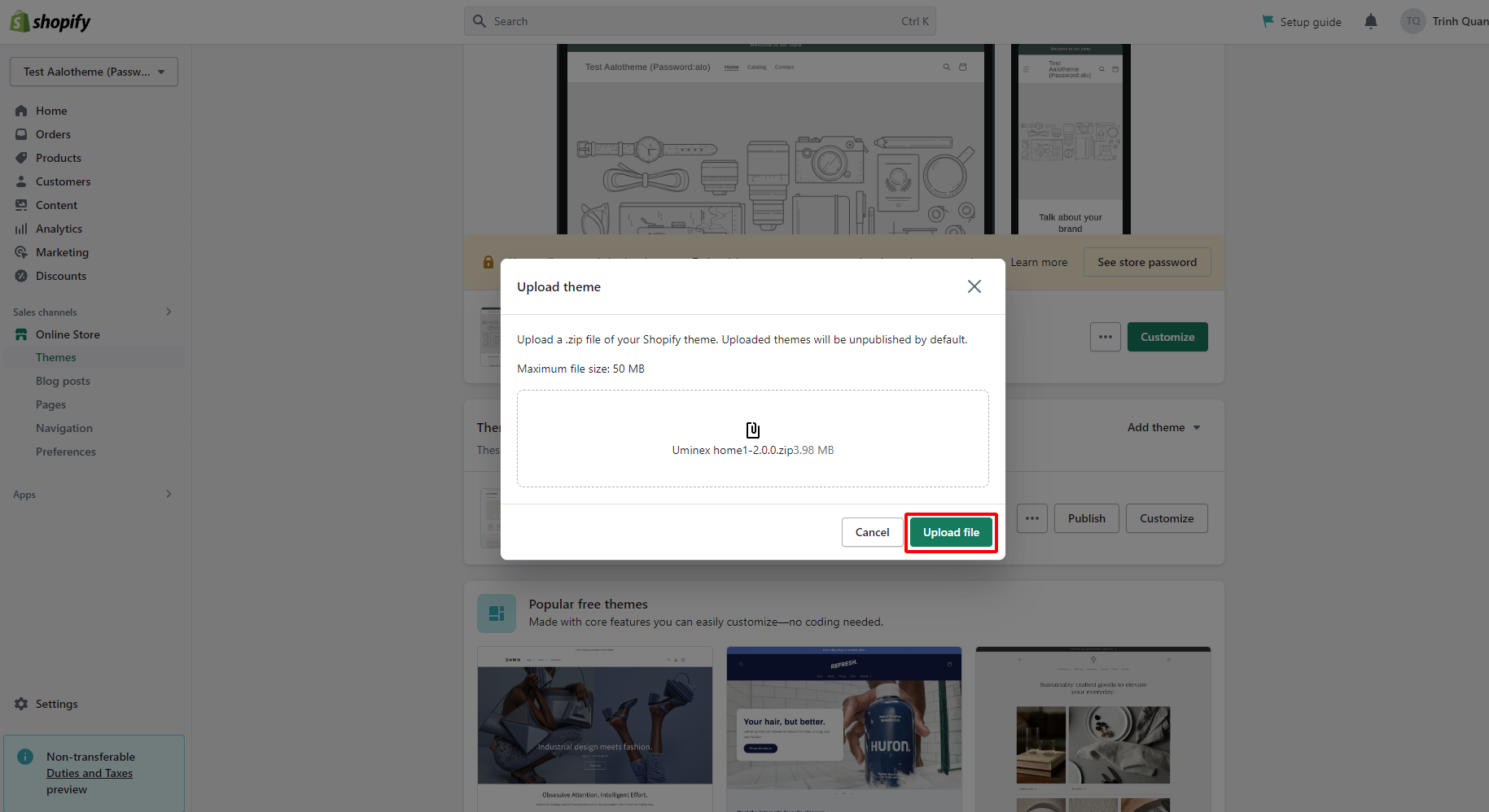
**Step 3:** Select theme zip file and click to **Upload file**
{% endhint %}

<figure><img src="https://content.gitbook.com/content/8UmVabhCP058sgPIK8AS/blobs/BUmm2tIoIhe80vfidInb/11.jpg" alt=""><figcaption></figcaption></figure>

<figure><img src="https://content.gitbook.com/content/8UmVabhCP058sgPIK8AS/blobs/vhncnnik94H2yK2c5frS/image.png" alt=""><figcaption></figcaption></figure>

<figure><img src="https://content.gitbook.com/content/8UmVabhCP058sgPIK8AS/blobs/NuJUL9IPWeJpBcOsFZrI/image.png" alt=""><figcaption></figcaption></figure>

{% hint style="success" %}
&#x20;You should watch this tutorial video for more:**Video install**
{% endhint %}

{% embed url="<https://youtu.be/X0EqwRWEg1w>" %}